Tool Container
A Tool Container is a container of Frame features used as tool frames. Frames in Tool Container are listed with the behavior in the Component Graph panel and managed using a Tools element.
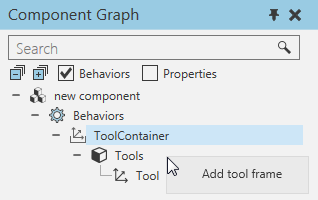
Frames in a Tool Container are listed with the behavior in the Component Graph panel and managed using a Tools element.
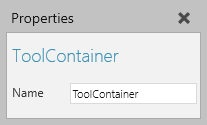
Properties
| Name | Description |
| Name | Defines the name of the container. |
Tool Frame
A Frame feature used as a tool frame or tool center point (TCP) has its own set of properties related to robotics.
| Name | Description |
| Name | Defines the name of the tool frame. |
| Transform | Defines an expression for transforming the tool frame, for example its position. |
| Node | Defines the node the tool frame is attached to in 3D world. In some cases, this might be the mount plate of a robot, a node in another component used as an external tool, or NULL meaning the frame refers to the node of its container. |
| InterpolationMode | Defines how the tool frame is used when interpolating robot positions. Generally, a tool frame is used as a tool center point or TCP of a robot. However, the tool frame can act like a base frame or robot coordinate system. One example is a stationary TCP where a robot moves around in 3D world. In that example, you might want a robot position to inherit the orientation of the tool frame or base frame. |